Product Initiative Case Study

From business card
to your CRM
in seconds.

A production-ready OCR tool I identified the need for, designed, and shipped end-to-end , turning a field pain point into a live CRM pipeline.

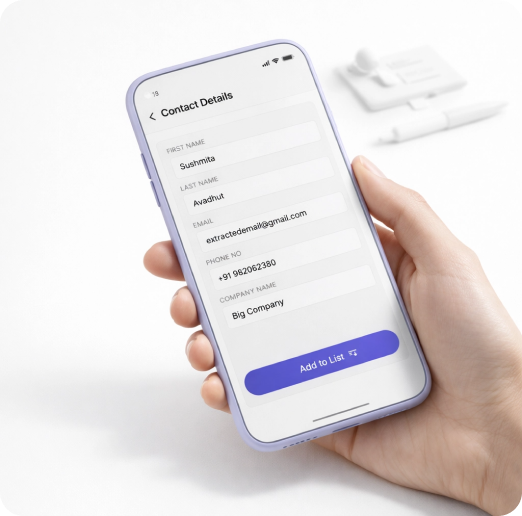
Person holding business card and phone with CardCapture app open
My Role Product Designer + Builder
Timeline 2 weeks, shipped to prod
Stack React · FastAPI · Moondream · HubSpot
Built with Claude Code · Microsoft Copilot
Where it Started (Fynd trade show) and WHY it's Built (manual Excel card entry)

Where It Started

I saw the problem firsthand, as an exhibitor.

"We were at an exhibition representing Fynd. Potential clients walked up, conversations happened, cards were exchanged. But then came the real problem, sitting down afterward to manually type every single contact into Excel, export it as a CSV, and then upload that into HubSpot. Cards got misplaced. Data got garbled. Leads went cold."

Sushmita Avadhut, Sr. Product Designer, Fynd

Being on the exhibitor side made the pain undeniable. We weren't just collecting cards, we were responsible for every lead. And the process for capturing them hadn't changed in decades: a stack of cards, a laptop, hours of manual Excel entry, and a CSV import later. As a product designer who ships end-to-end, I didn't just flag the problem, I built the fix.

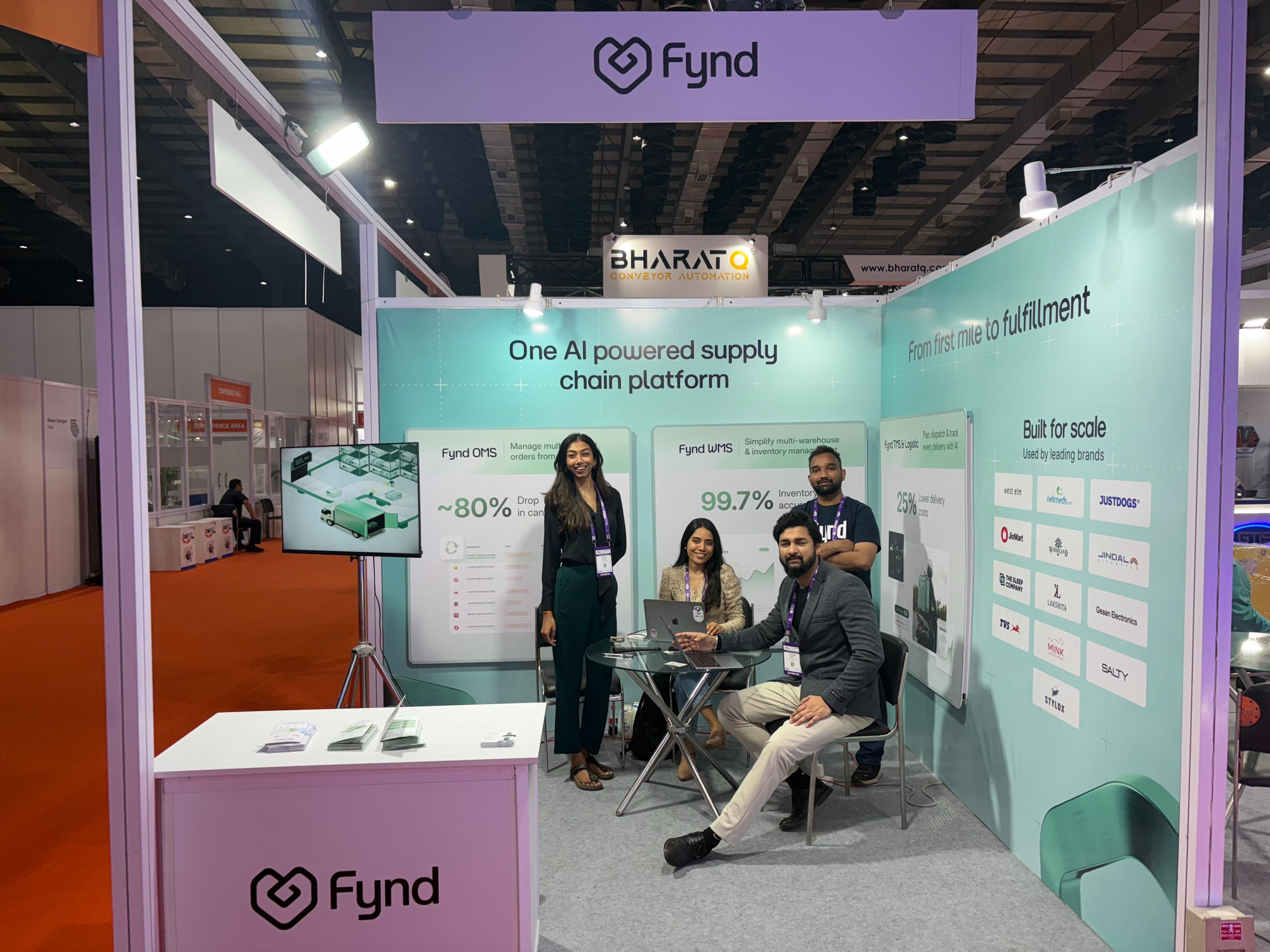
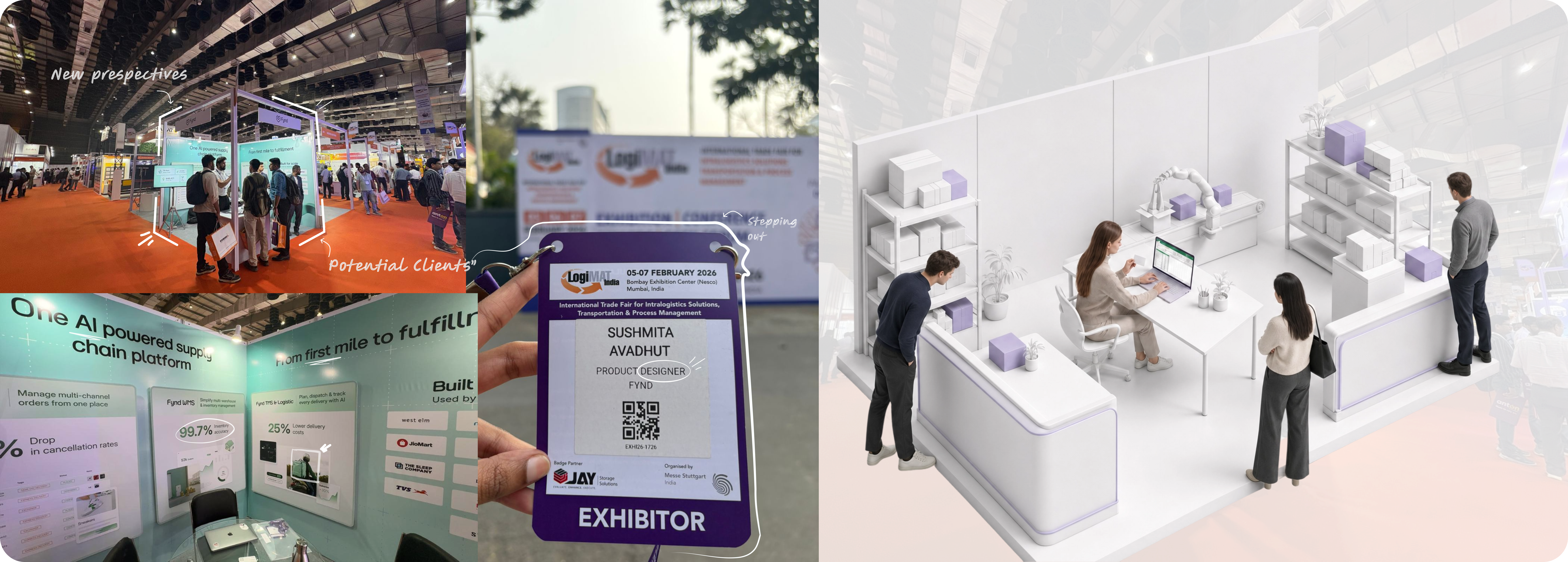
Fynd team at their exhibition booth , where the problem was first felt
The old way , still used everywhere

The Problem

Manual card entry is broken by design.

Every event generates leads. But without tooling, those leads become a pile of cards that sits on someone's desk , slowly losing value.

  • Speed loss Manual typing takes 3–5 minutes per card. A 50-card event = half a workday wasted.
  • ✏️
    Transcription errors Messy handwriting and small fonts lead to wrong names, wrong emails, dead leads.
  • 📦
    Delayed CRM entry Contacts sit in a pile for days. By the time they're in HubSpot, the conversation is cold.
  • 🔍
    No duplicate detection Cards from existing contacts get added again, polluting the CRM with duplicate records.

The Solution

Four steps. Zero manual typing.

CardCapture turns a photo into a verified CRM contact , with a human-in-the-loop review to catch OCR errors before they enter HubSpot.

Upload a business card photo
1
Upload or photograph the card

Open the app at the event. Tap to upload a photo or take one directly. Supports JPEG, PNG, HEIC.

React · Camera API
AI extracts contact details
2
AI extracts contact fields

Moondream vision model reads the card and populates name, email, phone, company, and job title automatically.

Moondream OCR · FastAPI
Review and edit extracted data
3
Review, tag, and verify

Human-in-the-loop check. Edit any OCR mistakes, add lead context (source, event, contact type), and save to the staging list.

Intentional design , catch errors early
Pushed to HubSpot
4
Push directly to HubSpot

One tap posts the contact to HubSpot CRM. Batch push handles an entire event's worth of cards at once.

HubSpot API · Python

Product Workflow

Built to solve four distinct problems.

Each feature maps directly to a pain point from the field research , no scope creep, no hypothetical requirements.

Impact
👑
On-the-Go Card Capture
Efficiency
🤖
Automated Contact Extraction
Verification
✏️
Human-in-the-Loop Review
Streamline Workflow
🔗
Direct HubSpot Push

Design Decisions

Why I made the choices I made.

Lenient "Add to List" validation

At events, speed matters more than perfect data. "Add to List" only requires at least one field filled , name, email, phone, or company. Hard validation happens at HubSpot push time, not before. This removes friction at the moment of capture and lets the user fix data later when not on the floor.

Field research insight
Human-in-the-loop by default

OCR is not 100% accurate, especially with stylized business card fonts. Rather than auto-pushing extracted data directly to HubSpot, the app always shows a review step. This preserves data quality without adding significant friction , a user can confirm a correct extraction in under 5 seconds.

Trust + accuracy tradeoff
Staging list before CRM push

The "staging list" persists in localStorage so contacts survive page refreshes and can be bulk-pushed after the event. This means users can capture 30 cards during an event and push them all in a single action afterward , no connectivity dependency at capture time.

Event-context UX pattern
GenDS design language

Used Fynd's internal design system , Inter typography, #3535F3 primary blue, pill-shaped buttons, 12px border-radius cards , so the tool looks native to the product ecosystem. This reduces onboarding friction for internal users and maintains visual trust.

Brand consistency
Vibe-coded with Claude Code

This product was built using AI-assisted development , Claude Code (Opus 4.5) and Microsoft Copilot , not as a shortcut, but as a force multiplier. As a designer who ships code, pairing with AI let me move from validated design to production in days instead of weeks, without compromising on code quality or UX fidelity.

Designer × AI collaboration

Tech Stack

Production-grade, intentionally lean.

Every technology chosen was the simplest option that met the production requirement , no over-engineering.

AI / OCR
Moondream Vision Model

Small, fast, accurate vision-language model that extracts structured contact fields from business card images. Self-hosted via API for data privacy.

Frontend
React 19 + TypeScript

Vite-powered SPA with CSS Modules and no external state library , lean and maintainable.

Backend
Python FastAPI

REST API with two endpoints: OCR extraction and HubSpot contact push. Deployed on Vercel as serverless.

CRM Integration
HubSpot API

Full contact record creation with custom fields: source, event name, contact type, and internal DRI assignments.

Deployment
Vercel

Frontend and backend deployed independently on Vercel. Auto-deploys on push to main. Zero DevOps overhead.

Build Tool
Claude Code + Copilot

AI-assisted development using Claude Code (Opus 4.5) and Microsoft Copilot , design-to-code in days, not weeks.

Impact

Built, shipped, used in the field.

CardCapture went from identified pain point to production deployment in under two weeks , and was used at the next event.

~30s
Time to capture one contact , down from 3–5 minutes of manual entry
0
Transcription errors with human-in-the-loop review before push
2 wks
From problem identified to production deployment , solo, end-to-end
Live on Vercel Used at real events HubSpot pipeline connected Batch push for event debriefs CSV export for backup

Learning Curve

I shipped this while still learning to build it.

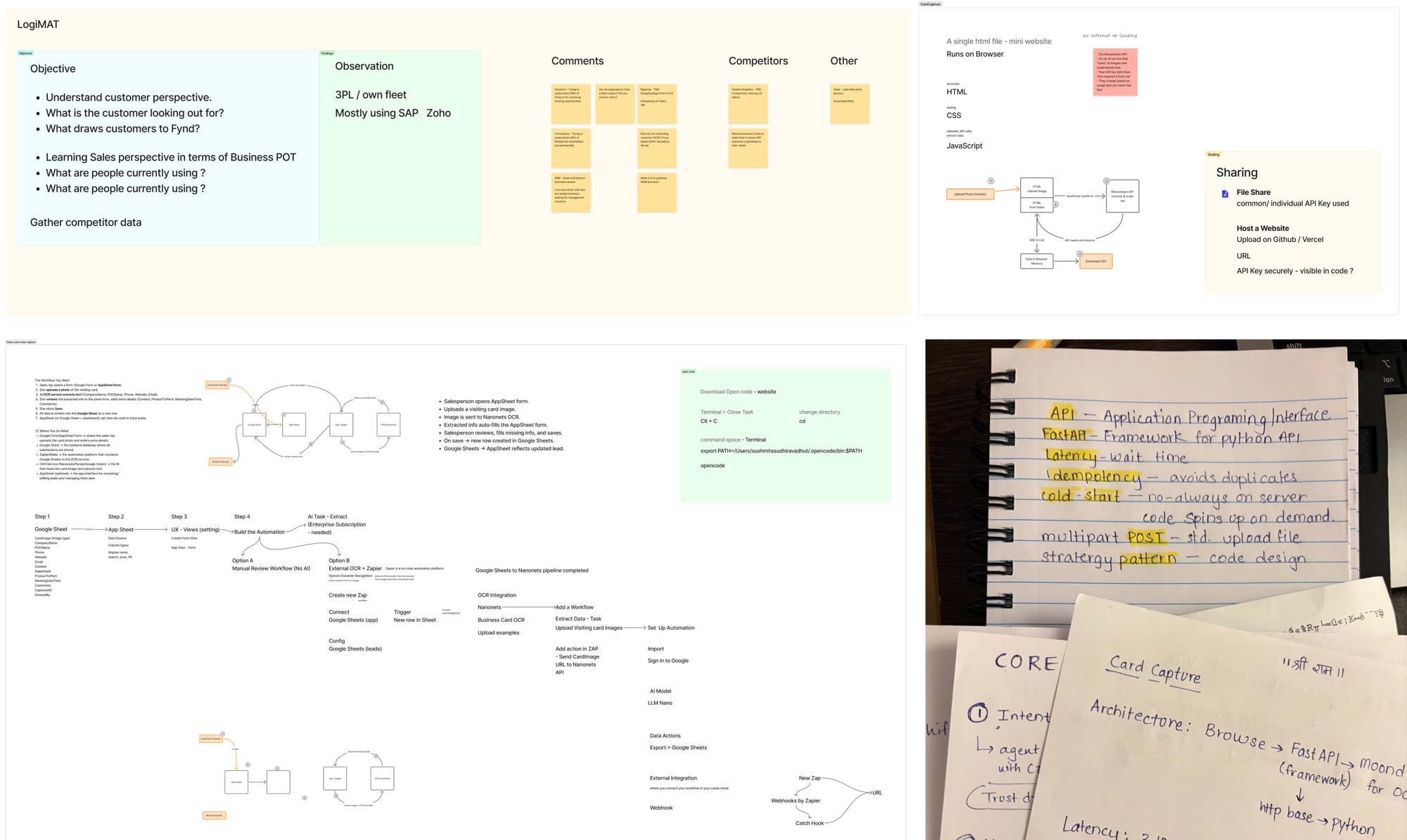
I'm a designer first, not a full-stack engineer, so a lot of this build was unfamiliar ground. I treated that gap like a design problem: I kept a running designer's glossary that translated dev terms, API, FastAPI, latency, idempotency, cold-start, multipart POST, into language I actually understood, sketched the architecture by hand until it clicked, and mapped every workflow before writing the code. The notes below are that paper trail. And honestly, the learning hasn't stopped, every new build adds a few more pages.

Research boards, hand-drawn architecture diagrams, and a designer's glossary of dev terms

Research boards, architecture sketches, and a hand-written dev glossary, my paper trail for teaching myself full-stack as a designer.

About Me

Senior Product Designer who ships end-to-end.

I'm Sushmita Avadhut, a Sr. Product Designer at Fynd. I don't just design , I identify problems, validate them in the field, and build production-ready solutions. CardCapture is one example of that: I spotted the gap, mapped the UX, and shipped the full product , frontend, backend, and CRM integration , using AI-assisted development as a force multiplier.

My work sits at the intersection of product design, systems thinking, and hands-on implementation. I believe designers who can build create better products because they understand constraints from the inside.

Product Design End-to-End Shipping UX Research Design Systems React + TypeScript AI-Assisted Development HubSpot / CRM B2B SaaS
Try CardCapture

Live on Vercel. Works on mobile. Upload a business card and see the full pipeline in action.

More of my work

From design systems to shipped features at Fynd , see the full portfolio.